Fleet
Drop today's schedule → map → lasso → assign.

Drag today's schedule here

Excel or CSV export from dispatch — or click to browse. Header row optional — pasted columns are read automatically.

Got an inspection log, defect report, or installed-base workbook instead? Those belong under Stats → Fleet reports — but drop one here and it'll get sent there automatically.
Round up your stops

Plan the whole day's routes in five minutes.

Drop in today's schedule, lasso the stops, and every driver gets their route on their phone. Built by a dispatcher for delivery, install and service crews.
  • No setup or training
  • Works with your Excel export
  • English & Español
routewrangler.com
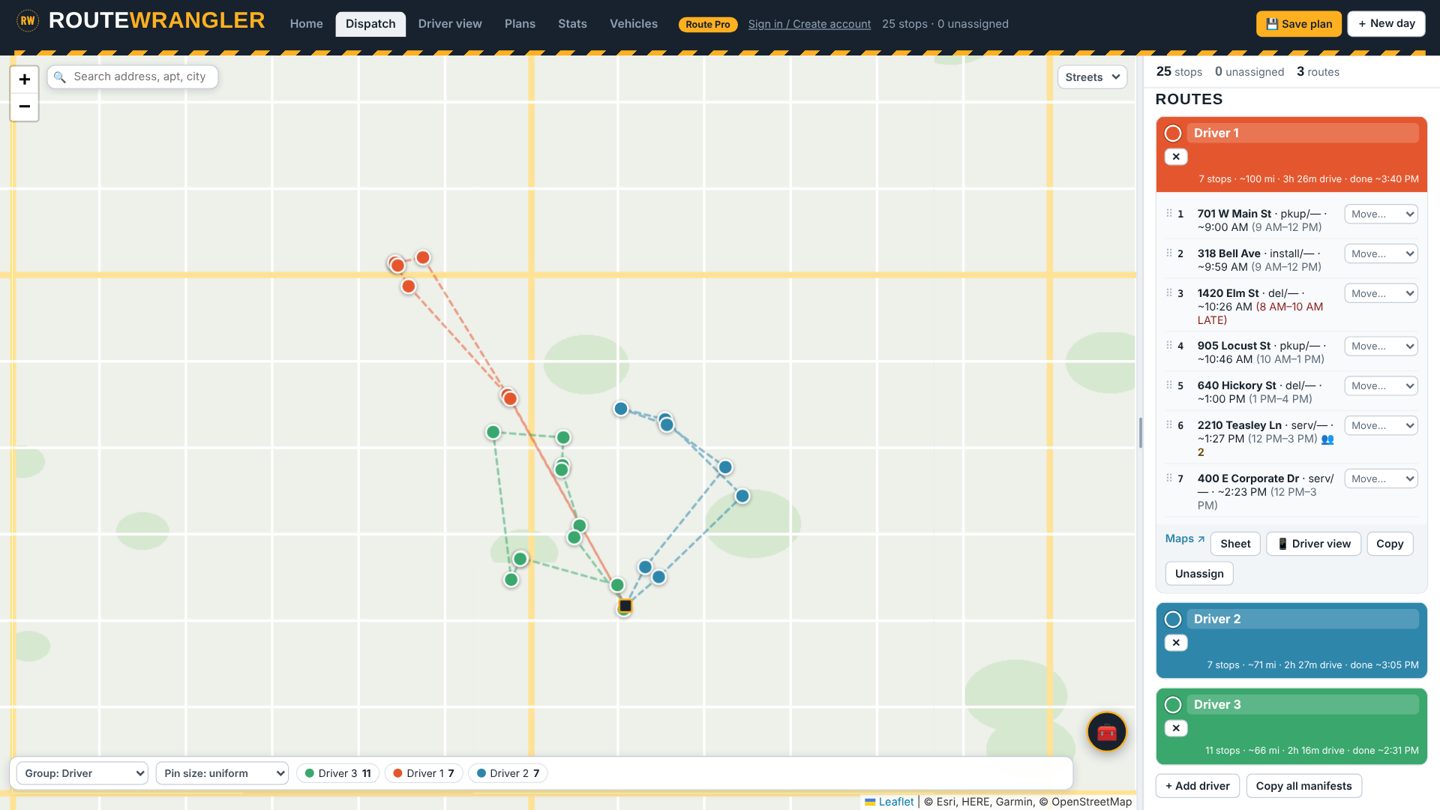
Route Wrangler dispatch board with three color-coded driver routes on a map
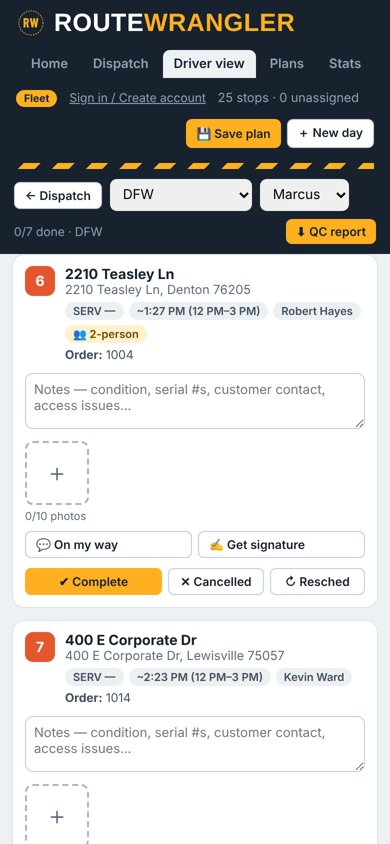
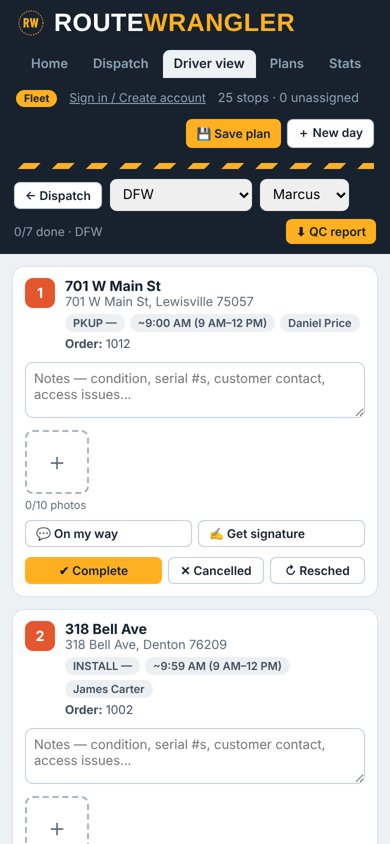
Driver view on a phone with stops in order
How it works

Three steps. About two minutes.

No customer database to import, no salesperson, no setup call. Open it and use it.

  1. Drop the spreadsheetThe same export you pull every morning. It reads the columns on its own, or type addresses and pick from the list.
  2. Lasso the stopsCircle a neighborhood and pick a driver. Or hit auto-split and it balances the day for you.
  3. Send the routesEach driver gets stops in order on their phone, with notes, photos and signatures at every stop.
Watch it

The whole thing in under two minutes

On the road

What your drivers get

One link on their phone. Nothing to install.

"On my way" texts

One tap texts the customer with the arrival time. Fewer missed stops and fewer "where's my driver" calls.

Customer signatures

The customer signs on the driver's phone. It's saved with the stop and lands in your QC report.

Photo proof

Up to ten photos and notes per stop: condition, serial numbers, gate codes.

2-person stops

Flag heavy or tricky stops so the right crew shows up.
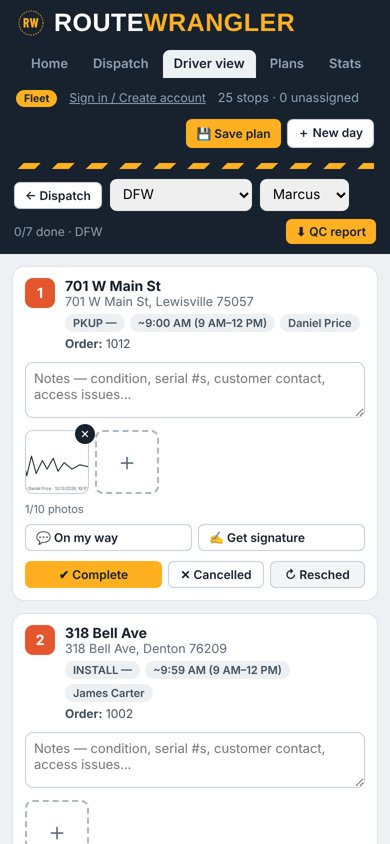
Signature saved on a stopStop marked as needing two people
In the office

Built by a dispatcher, not a map company

Windows that hold

Every stop keeps its promised window. Anything running late turns red before the trucks leave the yard.

Repeat weekly routes

Same stops every Monday? Save the plan, set it to repeat, open it with one tap.

Real roads and traffic

Routes follow real streets, with arrival times based on traffic when your trucks roll.

Tools that fit the job

Lasso, pen, brush, radius by miles and zip territories. Pick stops the way you think about them.

Reports from your exports

Drop inspection, telematics or completion files on Stats and get driver scorecards without building charts.

Priced per branch

Not per seat. Your whole office can use it.

Coming next

On the way

"Where's my driver?" linkCustomers watch the truck and the arrival time update live.
Snap the scheduleTake a photo of a printout or whiteboard and the stops load themselves.
Driver app en EspañolOne tap switches the driver app between English and Spanish.
End-of-day reportStops done, stops late, photos and signatures, emailed to the boss.

Pick what fits the operation

Priced per branch, not per seat. Cancel whenever.

Founding offer
The first 3 companies get 60 days free
Full Pro features, no card needed. In return, just tell us what works and what doesn't. Claim a spot: routeforge.app@gmail.com

Switching plans here changes what's unlocked so you can try each one.

Give it tomorrow's schedule

If it doesn't beat doing it by hand, you've lost five minutes.

Route Wrangler · route planning for delivery, install and service crews · a product of Ultra Freight Company LLC
Questions, demos, trials: routeforge.app@gmail.com

Saved plans

Fleet stats

Fleet reports

Inspections · Events · Rankings · Growth · Visits · Completion · Installed base
Drop report exports here
DVIR inspection logs, defect reports and missing-inspection exceptions. Drop several at once — each is detected automatically. Stored on this device only.

Vehicles & maintenance